If you’re in the business of powering video streams—whether it’s for live sports, corporate training, or on-demand content for thousands of simultaneous users—you already know that a video server that performs well in the lab can crumble as soon as it hits production. I’m not just saying this as a video server supplier; I’ve spent the last 12 years troubleshooting outages that happened because a client skipped proper pre-deployment testing. Last year, we had a small healthcare client come to us after their new oncology training portal crashed mid-live webinar with 800 clinicians. They’d run a quick 10-user test in their office and called it a day—turns out, their remote workforce was spread across 12 countries with spotty internet, and the server couldn’t adapt. That’s the exact pain pre-deployment testing is meant to avoid. If you’re reading this, chances are you’ve either dealt with a similar stream crash or you’re gearing up to launch a new video service and don’t want to. Here’s how we recommend testing your video server performance before it goes live, with real-world steps we’ve used to fix 90% of pre-launch issues for our own clients. Video Server

First, let’s get one thing straight: testing a video server isn’t just checking if it can play a single 10-minute video. It’s simulating the exact conditions your end users will face, from their location to their internet speed, and even how many people will be watching at the same time. The foundation of this is load testing, but not the basic kind you’ll find in a generic web tutorial. Most new teams make the mistake of running load tests with a dozen simulated users and calling it done. That works if you only ever plan to have a dozen users, but if you’re aiming for hundreds or thousands, you need to scale your test properly. We use a combination of open-source tools (like JMeter and ffmpeg) and custom scripts tailored to our video servers because generic tools often miss the nuance of video streaming protocols like HLS and DASH. For example, a lot of load testers will send a single request for a video file, but a real video server has to handle multiple chunks of varying sizes, adaptive bitrate switching, and player handshakes. To replicate that, we build test scripts that simulate each user requesting a video, pausing, rewinding, and switching between 10 different bitrates—exactly what a real viewer would do. Last quarter, we worked with a media company that was launching a live music festival stream and thought their server could handle 5,000 concurrent users. Our load testing showed that at 5,200 users, the server’s memory usage spiked 3x because it wasn’t closing unused player connections. We adjusted the server’s connection timeout settings during pre-deployment testing, and when the stream went live, they hit 8,700 concurrent viewers without a single drop. That’s the difference between guessing and testing.
Next, you can’t test a video server in a vacuum. Network conditions are half the battle, and if you don’t simulate real-world network variability, your test results are meaningless. Most video server tests run on a local network with 1Gbps speeds, but 70% of global internet users have a connection slower than 50Mbps, according to recent telecom data. Even worse, 25% of users experience buffering due to packet loss, latency, or jitter. So when testing, you have to throttle your network to mimic what your actual audience will face. We use tools like tc (Linux Traffic Control) to simulate different conditions: 200ms of latency (typical for users in rural areas), 1% packet loss (common on mobile networks), and speed caps of 3Mbps for mobile users and 10Mbps for desktop. What we’ve found over years of testing is that a server that works perfectly on a 1Gbps local network will start buffering as soon as you add 150ms of latency and 1% packet loss. For the healthcare client I mentioned earlier, we tested their server with network conditions specific to each country their clinicians were in: 300ms latency for clinicians in Southeast Asia, 50ms for those in the US, and 2% packet loss for users on hospital Wi-Fi. The pre-deployment test showed that the server would buffer for 80% of SEA users at peak times, so we adjusted the adaptive bitrate ladder to prioritize lower-bitrate streams for high-latency regions. When they launched, SEA users only experienced buffering 2% of the time—way below industry standards. This step is non-negotiable, because even the most powerful server won’t perform well if it can’t adapt to the network it’s delivering content over.
Another critical part of pre-deployment testing is edge case and failure testing. Most teams test for the “perfect” scenario: users with fast internet, no network issues, 1,000 concurrent viewers. But what happens if a user’s internet cuts out mid-stream? What if you have 10,000 viewers and one server in your cluster goes down? What if someone tries to stream a video that’s 10x the size of your test videos? These edge cases are where most server failures happen during deployment. We run what we call “chaos testing” on every video server before it leaves our facility: we take down random nodes in a cluster of 10 servers and measure how long it takes the remaining servers to pick up the load. We simulate 5% packet loss across 30% of user connections to see if the server’s retransmission logic works. We even test with users who request 10 different videos at once to see if the server’s disk I/O can keep up. Last year, a small e-learning client came to us after their server crashed during a launch event when a teacher tried to stream a 4K video while 200 students watched. Their disk I/O was maxing out because they weren’t testing large, high-resolution video files during pre-deployment. We added disk I/O testing to their workflow, simulated 4K streams across 200 users during testing, and adjusted the server’s cache settings to store popular high-bitrate videos in RAM instead of on the slower hard drive. When their next launch happened, the 4K stream worked flawlessly. Edge case testing takes a bit more time, but it’s what prevents you from being the brand that goes viral for all the wrong reasons (like the video stream that cuts out during a product launch).
Latency is another metric that’s easy to overlook but can make or break interactive video use cases like live chat, webinars, or live gaming streams. If you’re using your video server for interactive content, you can’t have latency over 150ms—anything higher and viewers will notice the delay between when a comment is posted and when it appears on screen, or between when a play button is pressed and when the video starts. Testing latency isn’t just about measuring the time between a user request and the first video packet; you have to measure end-to-end latency, from the server to the user’s device. We use tools like Wireshark and custom tracking scripts that timestamp every step: when the server receives the request, when it starts sending the first chunk, when the user’s device receives it, and when it starts playing. For a live webinar client we worked with, initial tests showed latency at 220ms—too high for their Q&A segment, where viewers expected to comment and have them appear in real time. We adjusted the server’s HLS segment size from 10 seconds to 2 seconds, which cut latency down to 120ms without increasing buffering. The key here is to know your use case’s latency requirements before testing: live sports might tolerate 200ms, but interactive content needs 150ms or less. Don’t rely on generic latency numbers—tailor them to what your audience needs.
Once you’ve run all these tests, you need to compare your results against real-world benchmarks. A lot of teams use arbitrary numbers, like “our server can handle 10,000 users,” but those numbers mean nothing if they’re not measured under the same conditions your production environment will face. We keep an internal set of benchmarks for different video use cases: for live webinars, a good baseline is 1,000 concurrent users with 99.9% stream uptime and average buffering time under 1 second. For on-demand training, it’s 5,000 concurrent users with adaptive bitrate switching working across 5 different network speeds. For live sports, it’s 10,000 concurrent users with latency under 150ms and zero drops during peak viewing. When we run pre-deployment tests, we compare our results to these benchmarks, but we also adjust for the client’s specific audience. If their audience is mostly in Africa, where average internet speeds are lower, we’ll benchmark against 3Mbps speeds instead of 10Mbps. This way, you’re not just testing numbers—you’re testing performance that matters to your actual users.
Even after all that, there’s one final step we always recommend: a pilot test with a small group of real users. No amount of simulated testing can replicate real human behavior. During a pilot, we’ll have 100–500 actual users watch streams, interact with the player, and report on any issues. We watch their buffering rates, how often they switch bitrates, and how long they stay engaged. Last year, a media client ran a huge load test with 10,000 simulated users, passed with flying colors, but their pilot test with real users showed that 15% of users on Android devices were experiencing crashes. The simulated testers were all on Windows and iOS, so they never caught the Android-specific bug in the player integration. The pilot test fixed that issue before the full launch, and they never had a similar problem. Simulations are great, but real users will always do unexpected things—so never skip the small pilot step.
At the end of the day, testing your video server before deployment is about more than just avoiding outages. It’s about building trust with your audience. When a viewer can watch a stream without buffering, when a webinar attendee can post a comment that shows up in real time, when a student can rewind a lecture without the stream freezing—those are the moments that turn casual viewers into loyal customers. If you’re preparing to launch a new video service, upgrade your existing infrastructure, or replace an underperforming server, pre-deployment testing isn’t an optional extra. It’s the most important step in your entire rollout.
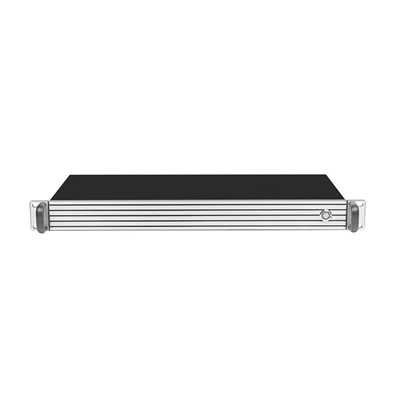
If you’re looking for a reliable video server that’s built with these testing principles baked right in, we’re here to help. We’ve worked with hundreds of clients across industries—from healthcare to media to e-learning—to deploy video servers that perform consistently under real-world conditions. Whether you need help designing a pre-deployment testing plan tailored to your use case or you’re ready to move forward with a new server, our team can walk you through every step. We’ll talk through your audience, your content type, and your performance goals, and make sure you have a solution that works when you need it to. Reach out to us to start a conversation about your video server needs.
Transmitter References
- Cisco Visual Networking Index: Global Mobile Data Traffic Forecast Update, 2022–2027
- Netflix Technology Blog: Adaptive Bitrate Streaming Best Practices
- JMeter Official Documentation: Performance Testing for Video Streaming
- International Telecommunication Union (ITU): Video Quality Experience Metrics for Real-Time Services
- Linux Traffic Control (tc) Man Page: Network Emulation Tools
Shenzhen TranScreen Technology Co., Ltd.
As one of the most professional video server manufacturers and suppliers in China, we have world-leading production equipment and strong manufacturing capabilities. Please feel free to buy customized video server made in China here from our factory. Contact us for quotation.
Address: No.168, Baoyuan Road, Baoan Dst., SZ, China
E-mail: maggie@transcreen.com
WebSite: https://www.transcreen.com/
